Overnight build, Nov 20: what was done
The AI Hub's marketing systems were brought into AmplifAI and RoboMO one by one. Each was copied as it runs, made to take its brand values from settings, and first had to give exactly the same result as the AI Hub's own before it was accepted. Internal page.
1. Funnel review: live now LIVE
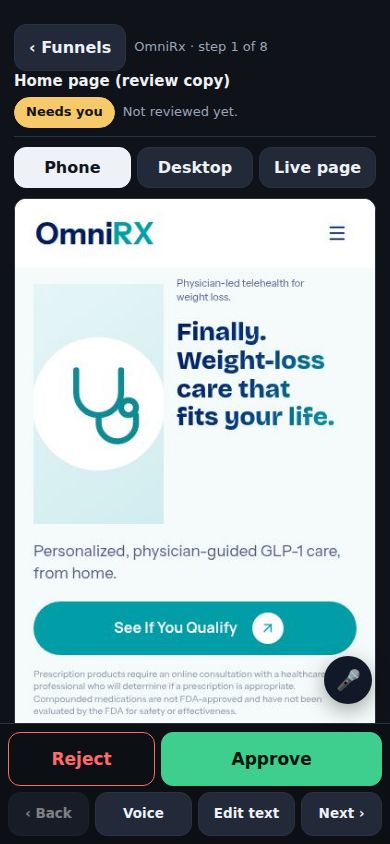
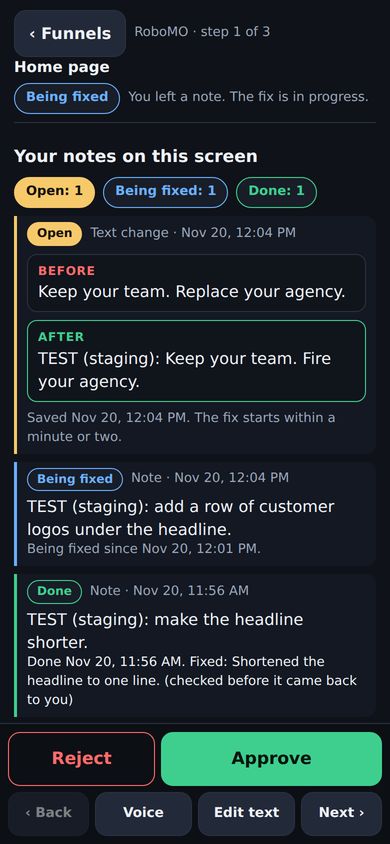
Every decision you make is now written to the lesson book the AI reads before it builds. A fix that breaks one of your known rules is held back before it reaches you. A silent voice recording is refused instead of being lost. Each screen lists your notes as Open, Being fixed or Done. These are the live screens, taken after the switch.
Open the funnel review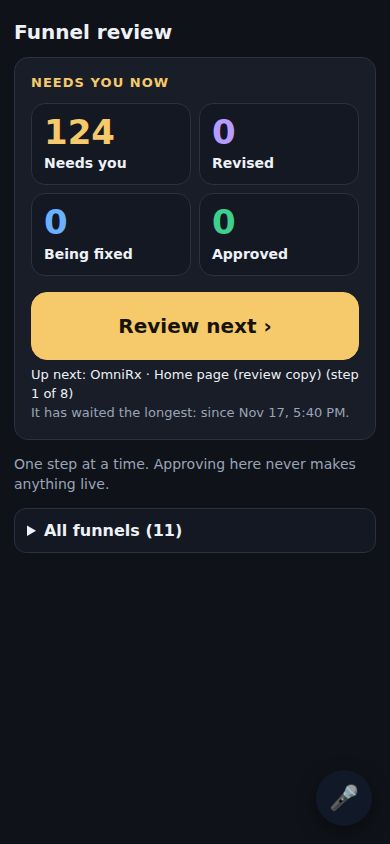
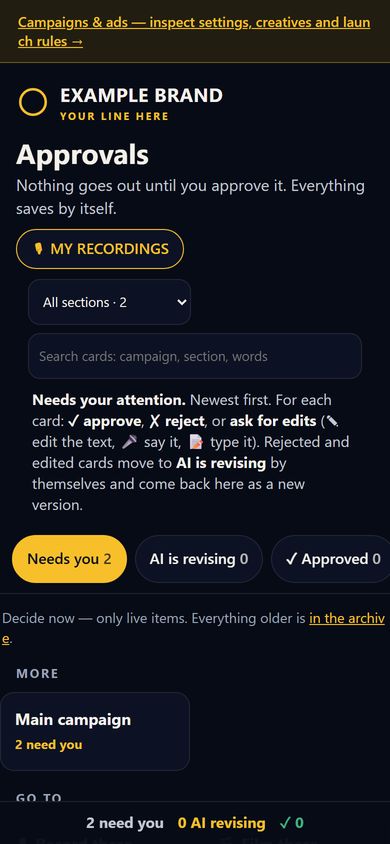
2. One front door: one funnel card in the Command Center LIVE
One card says how many funnel screens need you. One tap opens the exact screen that has waited longest. This picture is from the tested copy (same code as live); the live card was checked in the database.
Open the Command Center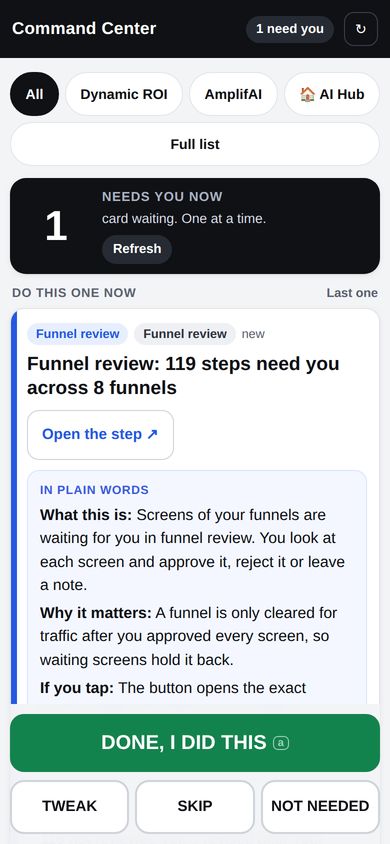
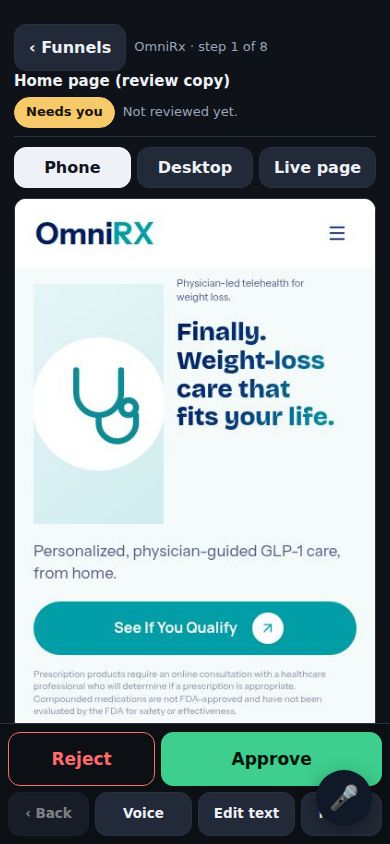
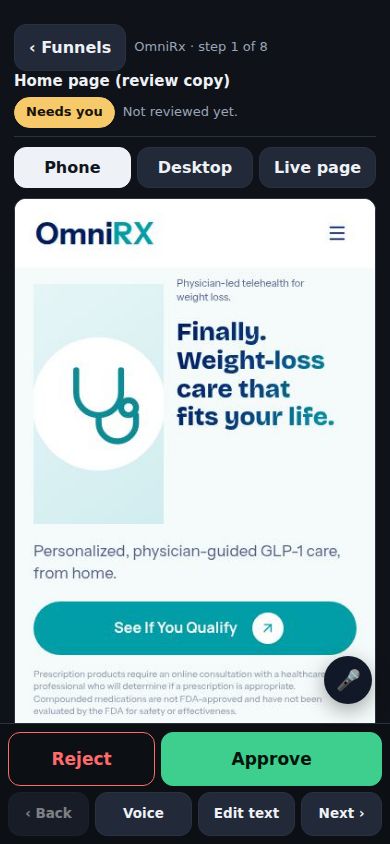
3. A bug found by looking: the voice button covered Approve and Next FIXED
On a phone the round voice button sat on top of part of Approve and Next in the funnel review, and on Approve in Plan review. It now sits above the bar. Measured before and after at two phone sizes.
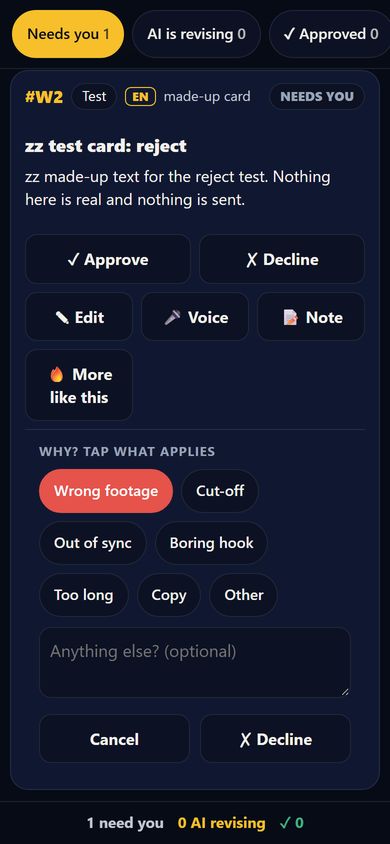
4. Creative approvals as a piece any brand can have TESTED, NOT LIVE
Approve, decline with reason buttons, change it by text or voice, edit, skip, not needed. Tested on a made-up card on a private copy; 200 requests gave the same answers as the AI Hub's own. A second made-up brand ran on the same code with its own name and reasons.
5. Upload a video, it becomes ads: per brand TESTED, NOT LIVE
The copy made the same plan and the same finished videos as the AI Hub's own, byte for byte, from two old clips at no cost. It refuses to create anything without your typed line, and its ad piece can only read until a server is deliberately switched on.
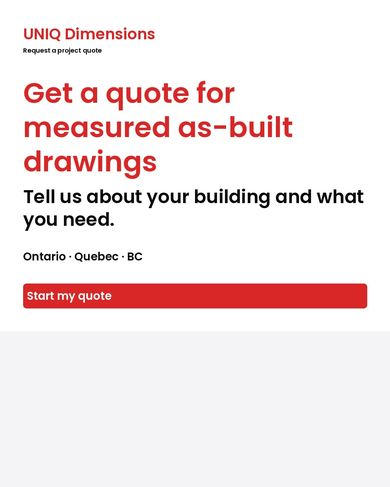
6. Creative engine takes a second brand TESTED, NOT LIVE
With the AI Hub's settings the copy re-made all 840 images identical to the originals. This one image was made from UNIQ's own public page (their words, colours and font) to prove a second brand works. It is a proof, not an ad: no photo yet, and it was not posted anywhere.
7. Creative stats in your Coloring Book look BUILT (internal pages)
Every ad ranked by results and spend, with filters on the page, for any brand from one settings file. Read-only on the ad accounts.
UNIQ creative stats AI Hub sample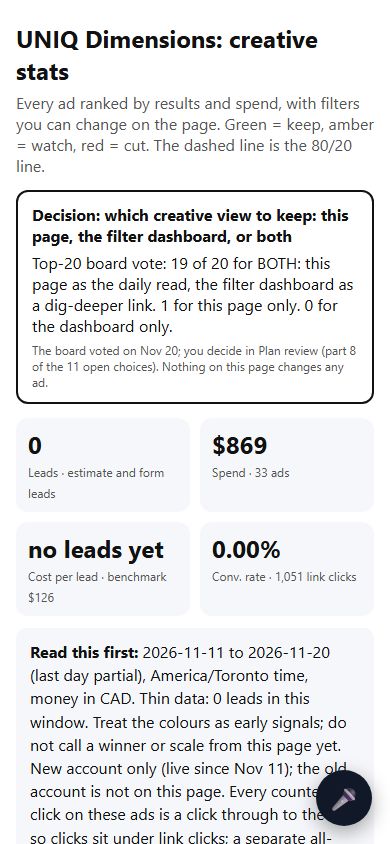
8. Ad rules as brand settings: UNIQ dry run DRY RUN ONLY
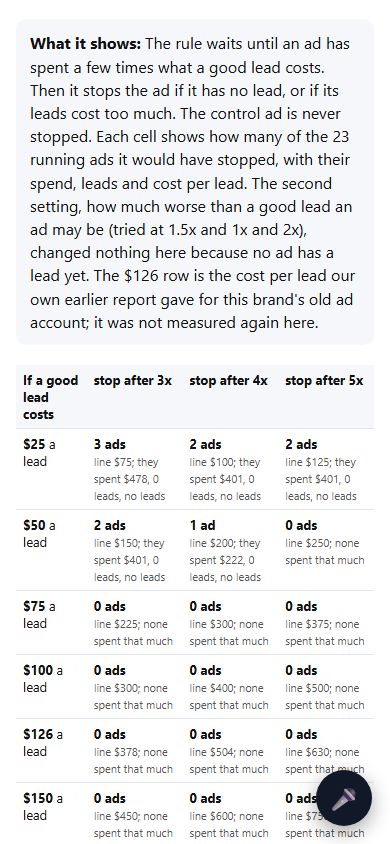
The ad rules (stop a bad ad, hold the daily limit, scale) now only return a decision; they cannot touch an ad account. This page shows what each rule would have done on UNIQ's last 7 days at several settings. It recommends none.
UNIQ rules dry run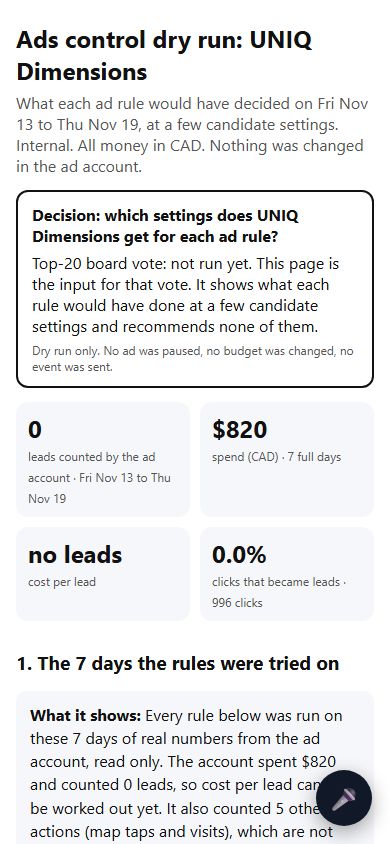
9. Content approval pattern DRY RUN ONLY
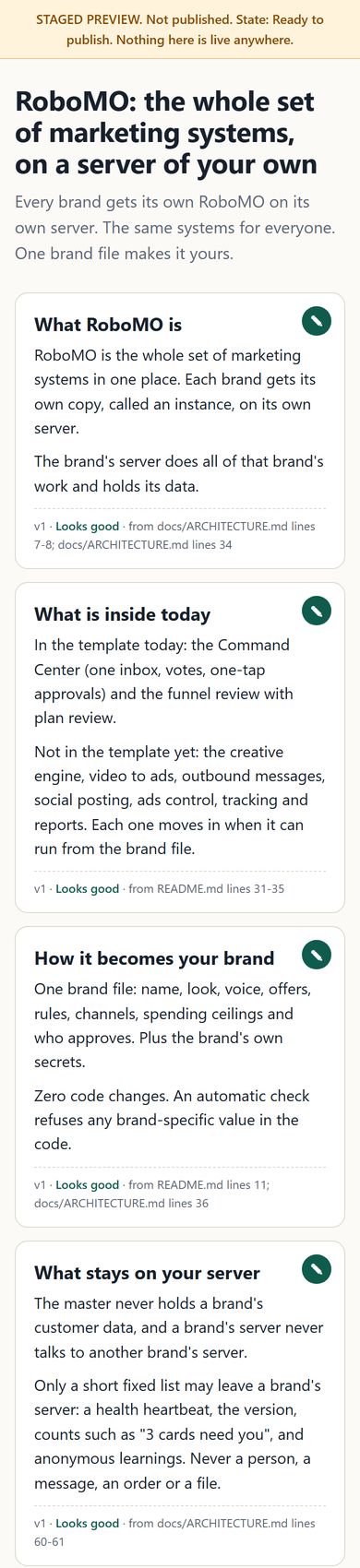
One page of our own content went through draft, note, second version and preview. The publish step refused, because only your own tap can publish.
Worth knowing
- Nothing was sent to anyone, nothing was published, no ad was created and no money was spent. The AI Hub's own systems were only read.
- Only two things went live, both your own review tools: the funnel review update and the one funnel card in the Command Center. Both have backups and a written way back.
- Outbound messaging was also brought in and tested with made-up messages only. It cannot really send: that part is left out on purpose until you say so.
- Our sites returned errors for about 6 minutes (12:18 to 12:24 UTC): an automatic repair job ran the server out of memory. Every such job now has a memory limit. The same job had deleted the browsers used for screenshots; they are back.
- Not tried on a real phone. The pictures here are from an emulated phone screen.